Automate Multilingual Content with Strapi AI Translations
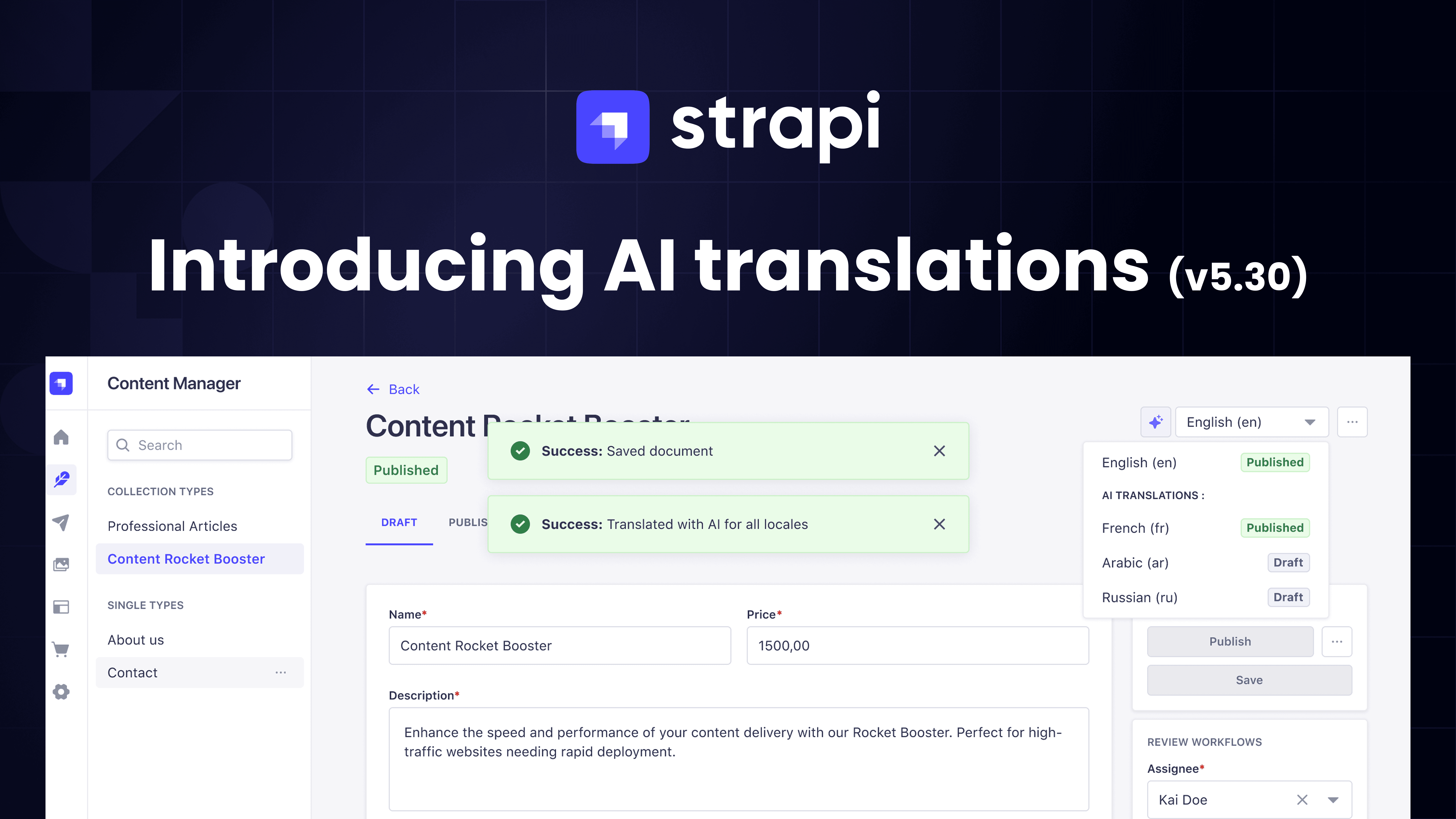
Ship multilingual content faster with Strapi AI Translations. Build once. Publish in all languages. As of v5.30, Strapi auto‑translates your content using Strapi AI. No extra services to wire up. No webhooks. No background jobs.
With AI translations, your content now stays automatically in sync across locales. Every time you edit and save in the default locale, Strapi AI updates all other locales to match—removing the manual burden from editors. It also translates dynamic zones and blocks on the fly!
- Outcome: Launch new markets in hours, not weeks
- Reliability: Preserve schema, relations, and media across languages
- Simplicity: Works out of the box once enabled from the Internationalization Settings pages
Why it matters
Teams waste time exporting content, managing third-party translation loops, and resolving broken relationships per locale. Strapi AI Translations removes that overhead so you can:
- Scale to new regions without rewriting pipelines
- Keep editorial flow in Strapi, not spreadsheets or other 3rd party services
- Maintain design and data integrity across locales
How it works
For detailed instructions on using AI-powered internationalization, refer to the official documentation.
Availability & Billing
- Plan: Growth
- Trial: Included in 30‑day Growth trial
- Credits: 1000 monthly AI translation credits
- Billing: Usage‑based beyond quota
Homepage Customization Layout Control
As of Strapi v5.30, every Strapi user can now customize the layout of the homepage widgets with:
- Drag-and-drop reordering: Arrange widgets to match your workflow priorities
- Flexible sizing: Resize widgets to emphasize what matters most
- Full control: Remove clutter or restore widgets as your needs evolve
Why is it needed?
Enhance the user experience on the homepage to fit their needs and roles.
Editors and developers can rearrange, resize, or remove widgets to make the dashboard fit their daily workflow. Using drag-and-drop, you can change the widget order, hide non-essential ones, or add them back at any time.
This small UX improvement adds flexibility and focus — whether you want to track releases, review workflow activity, or monitor content updates at a glance.
Try Strapi Today
New to Strapi? Run the following command in your terminal:
npx create-strapi-app@latestAnd, follow the Quick Start guide.
Ready to implement the new improvements in your project? Upgrade to the latest Strapi version and start using all the latest features today!